Project Overview
Survey Dashboard is a multi-tenant web application that manages surveys across educational organizations. Platform operators onboard organizations, survey authors assign task-based surveys to schools, and school staff submit responses through a structured verification workflow.
I built the application as the sole Full-stack Developer. The work includes the React single-page application, Spring Boot REST API, STOMP/WebSocket notification layer, PostgreSQL data model, and the operational handover documentation.
Technology Stack
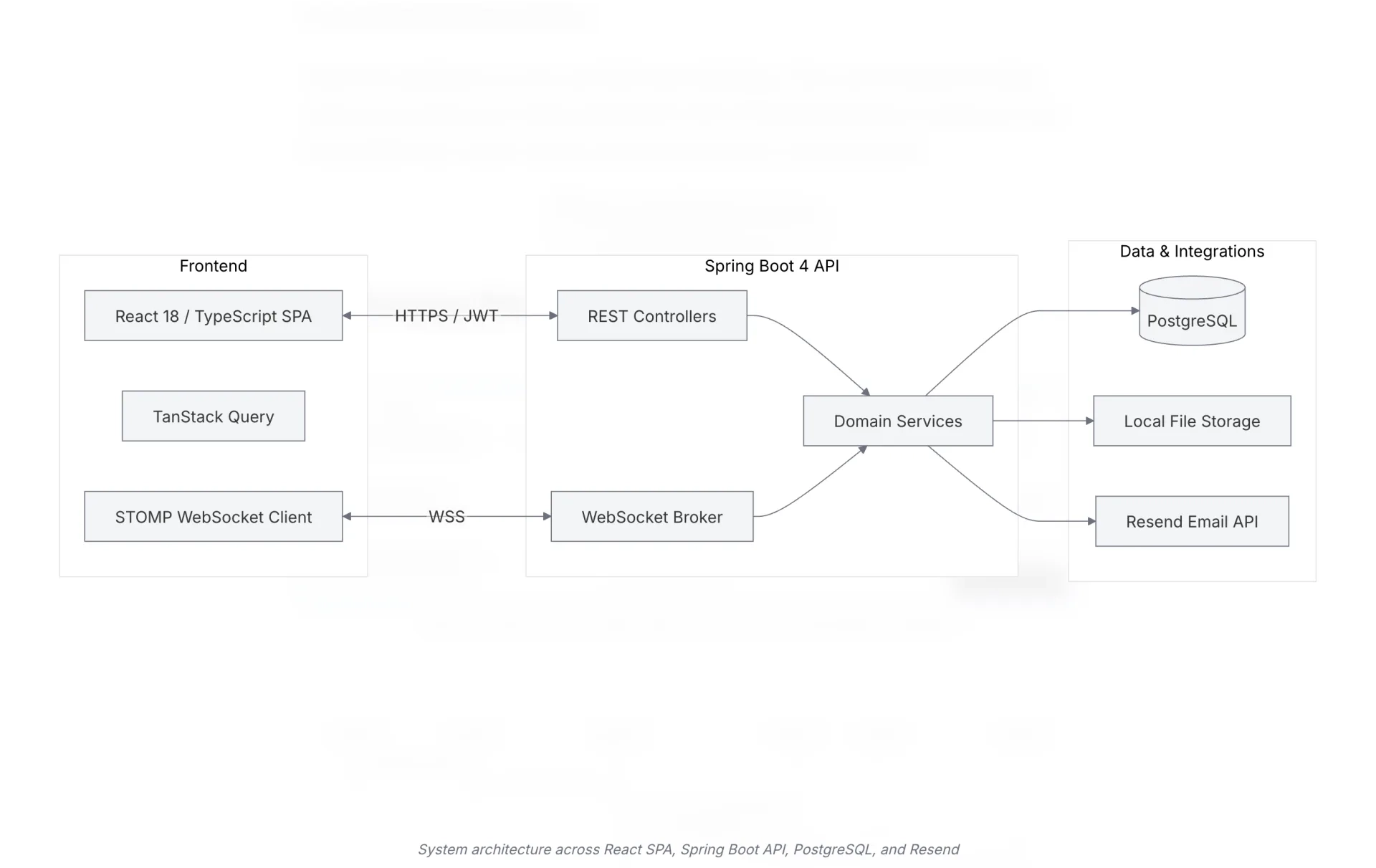
%% caption: System architecture across React SPA, Spring Boot API, PostgreSQL, and Resend
flowchart LR
    subgraph Client ["Frontend"]
        UI["React 18 / TypeScript SPA"]
        Query["TanStack Query"]
        STOMP["STOMP WebSocket Client"]
    end

    subgraph Backend ["Spring Boot 4 API"]
        REST["REST Controllers"]
        Svc["Domain Services"]
        WS["WebSocket Broker"]
    end

    subgraph Storage ["Data & Integrations"]
        DB[("PostgreSQL")]
        FS["Local File Storage"]
        Email["Resend Email API"]
    end

    UI <-->|HTTPS / JWT| REST
    STOMP <-->|WSS| WS
    REST --> Svc
    WS --> Svc
    Svc --> DB
    Svc --> FS
    Svc --> Email
%% caption: Notification flow from school submission through verification to STOMP delivery
sequenceDiagram
participant School as School Author
participant UI as React App
participant API as Spring Boot API
participant DB as PostgreSQL
participant Author as Survey Author
participant WS as STOMP Broker
School->>UI: Submit task item response
UI->>API: PUT /api/v1/surveys/{id}/responses
API->>DB: Save response + set reviewStatus PENDING
API->>DB: Insert notification rows
API->>WS: Push AFTER_COMMIT notification event
WS-->>Author: STOMP /user/queue/notifications
Author->>UI: Review submission
UI->>API: POST verify or reject
API->>DB: Update reviewStatus
API->>WS: Push notification to school
WS-->>School: STOMP notification + toast| Stack Area | Technologies & Tools |
|---|---|
| Frontend | React 18, TypeScript, Vite, Tailwind CSS, Radix UI, TanStack Query, Zustand, react-hook-form, zod, @stomp/stompjs |
| Backend | Java, Spring Boot 4, Spring Web MVC, Spring Data JPA, Spring Security, STOMP over WebSocket |
| Database | PostgreSQL with Flyway migrations |
| Realtime | STOMP simple broker with JWT-scoped /user/queue/notifications destinations |
| Resend API for invitation and notification delivery | |
| Build & Deploy | Bun (frontend), Maven (backend), Docker |
Product Context
Educational organizations struggle to collect standardized data from multiple schools while tracking completion across platform, organization, school, and class levels. Spreadsheets and email chains fail when surveys require prerequisite tasks, file uploads, multi-step verification, and strict role-based access.
Survey Dashboard solves this problem by moving the workflow into a centralized system. Survey authors define task items, assign surveys to schools, and review responses. School authors complete tasks, resubmit rejected work, and receive real-time feedback when their review status changes.
Tenant and Role Model
%% caption: Role hierarchy from platform admin down to school author
flowchart TD
    P["PLATFORM_ADMIN<br/>platform-wide"]
    O["SURVEY_AUTHOR / ORG_ADMIN<br/>scoped to Organization"]
    S["SCHOOL_AUTHOR / SCHOOL_ADMIN<br/>scoped to School"]
P --> O --> S| Role | Scope | Primary responsibilities |
|---|---|---|
PLATFORM_ADMIN | Platform | Manage organizations, send platform-level invitations, oversee tenants |
SURVEY_AUTHOR (ORG_ADMIN) | One Organization | Author surveys, invite school authors, verify submissions, reject or approve task items |
SCHOOL_AUTHOR (SCHOOL_ADMIN) | One School | Run assigned surveys, submit task items, respond to verification rejections |
Tenancy relies on the authenticated principal’s organizationId and schoolId instead of URL path parameters. The data layer uses repository methods like findByOrganization_IdAndRoleAndIsActiveTrue to make tenant boundaries explicit.
What I Built
- Multi-tenant domain model: A platform, organization, school, and class hierarchy provides role-scoped data access across the survey lifecycle.
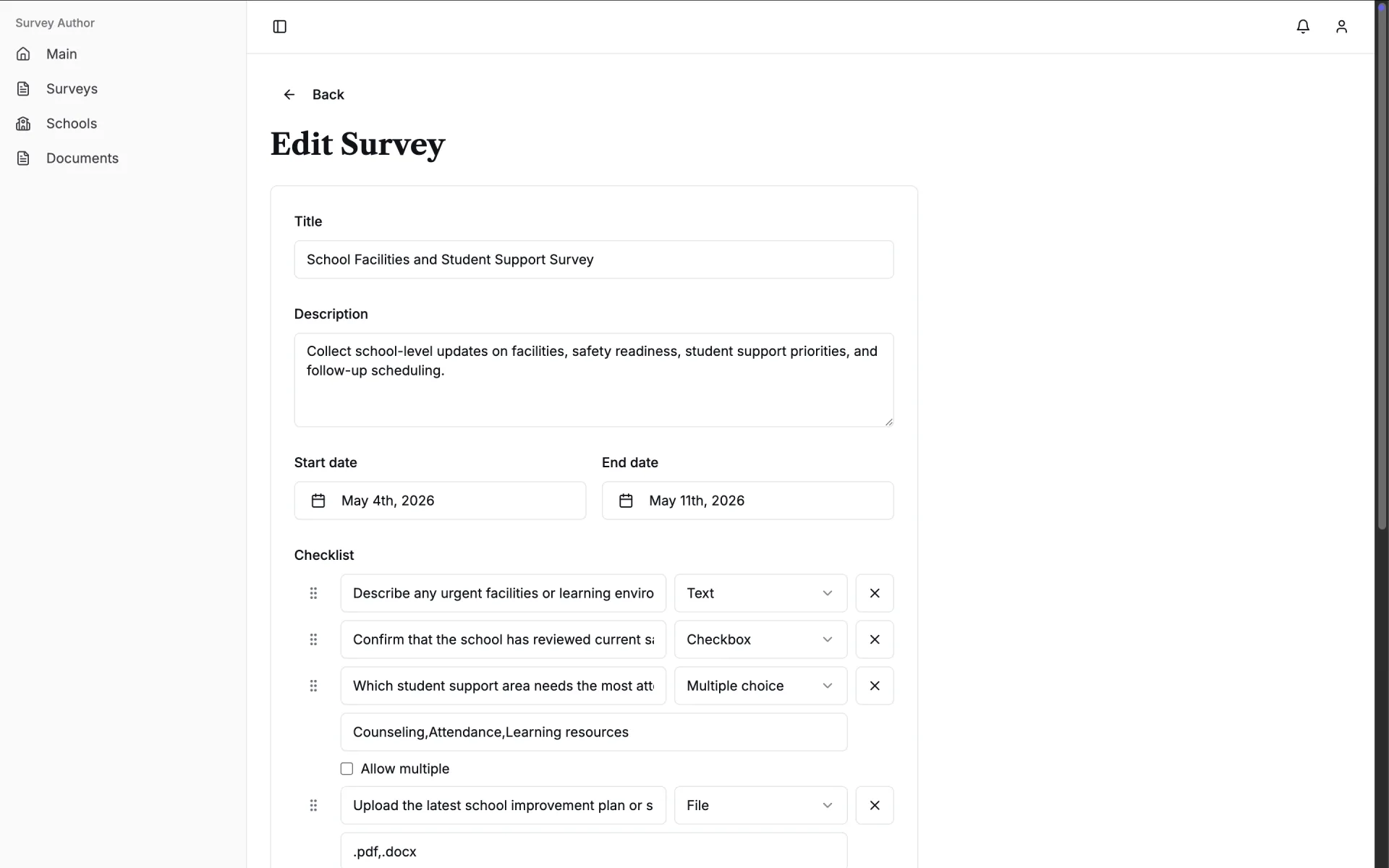
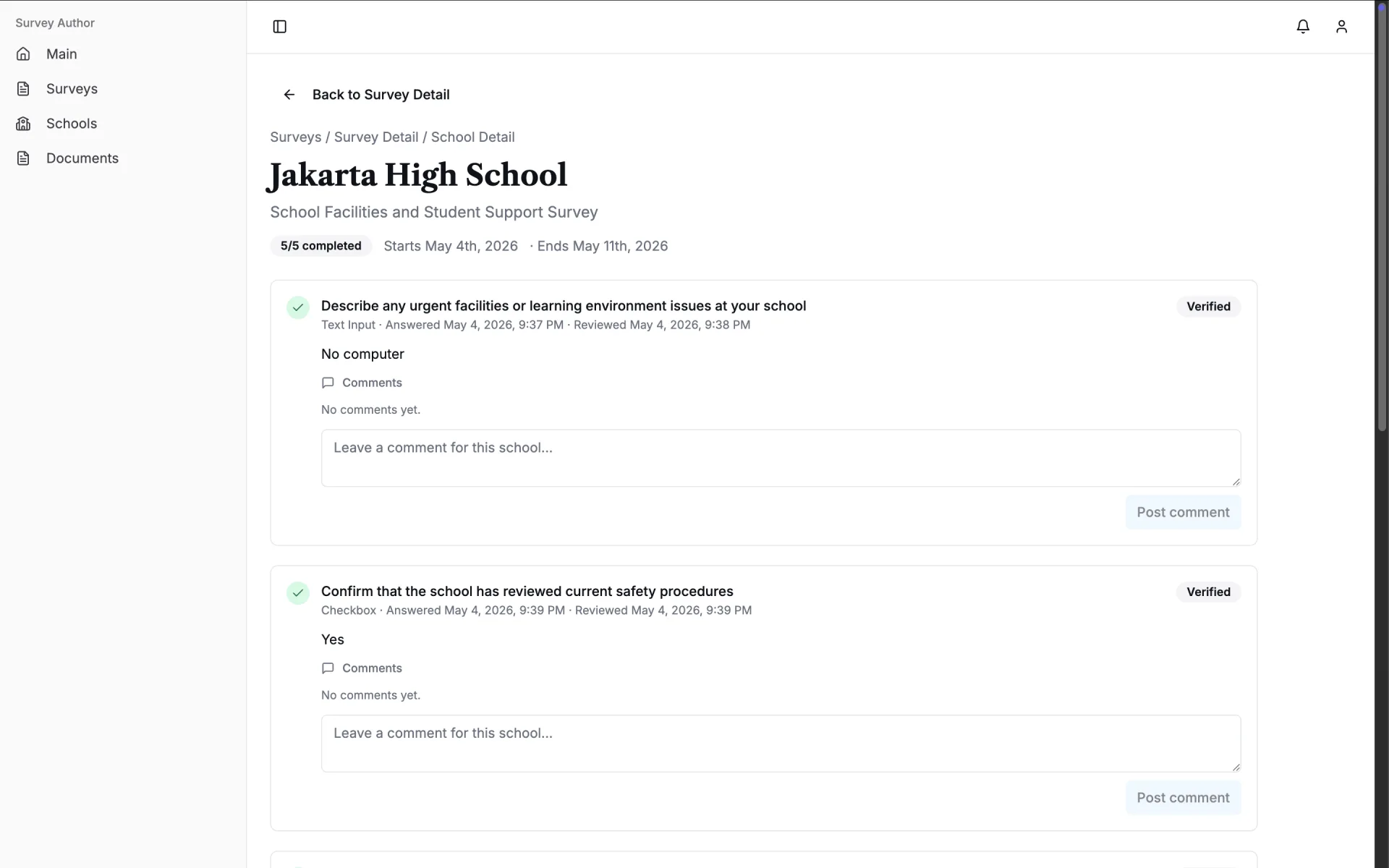
- Survey and submission pipeline: Survey authors use typed field templates with prerequisite rules to assign work. School responses move through pending, submitted, verified, and rejected states, preserving reviewer history on the same database row.
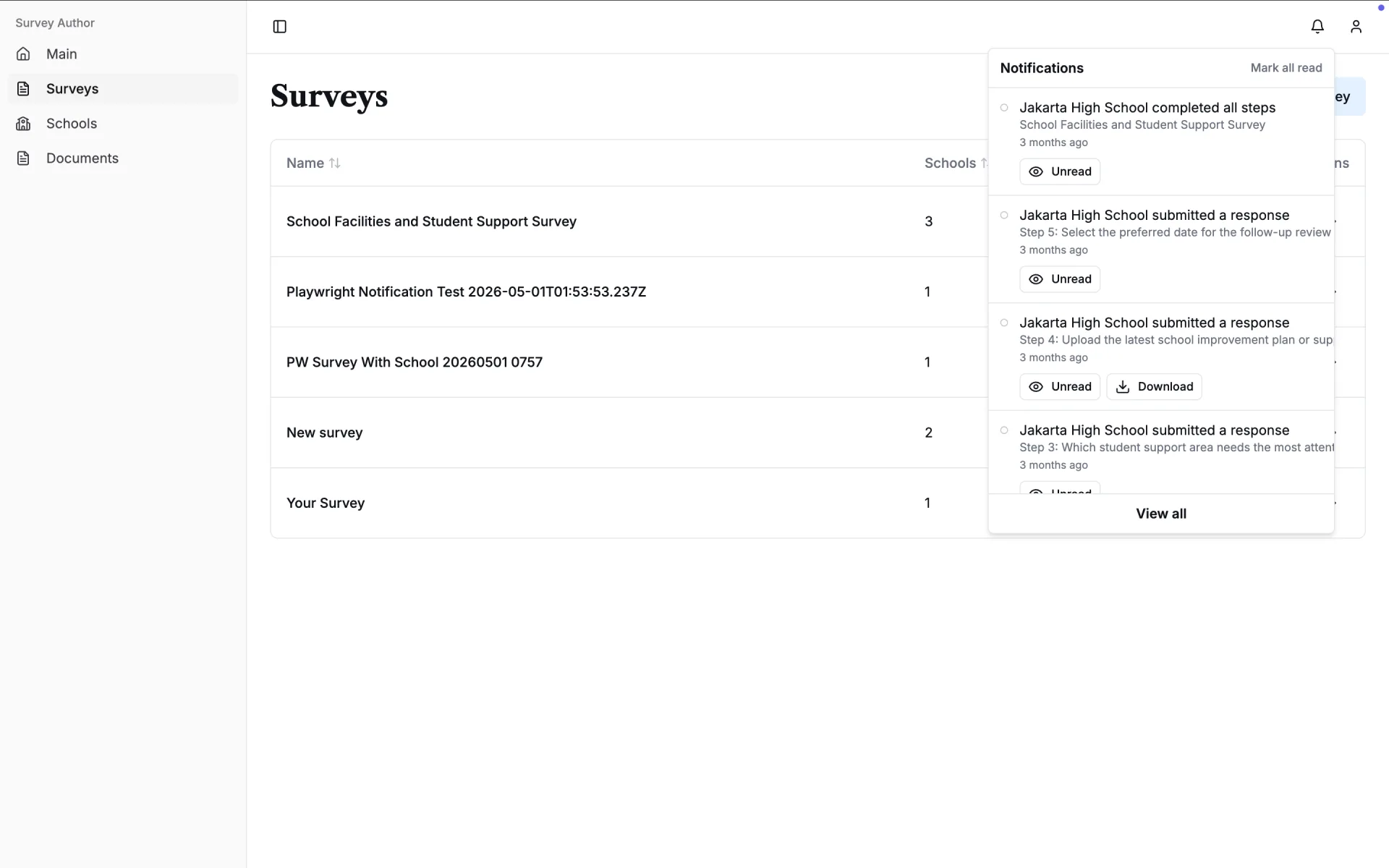
- Real-time notification system: STOMP/WebSocket delivery relies on JWT handshakes to scope messages per user. An AFTER_COMMIT event bridge ensures notifications only push after database commits finish.
- Authentication and routing: The system uses JWT access tokens with HttpOnly refresh cookies, silent refresh scheduling, and automatic retry logic. React route trees isolate platform admins, survey authors, and school authors.
- Operational documentation: Docusaurus documentation details the architecture, survey lifecycle, deployment topology, and day-two runbooks for the client team.
Survey Lifecycle
%% caption: Survey object hierarchy from survey down to verification
flowchart LR
    TaskItem --> Response["School Response"]
    Response --> Verification
%% caption: Review states for a school response from pending through verification or rejection
stateDiagram-v2
[*] --> Pending
Pending --> Submitted : SCHOOL_AUTHOR submits
Submitted --> Verified : SURVEY_AUTHOR approves
Submitted --> Rejected : SURVEY_AUTHOR rejects
Rejected --> Submitted : SCHOOL_AUTHOR resubmits
Verified --> [*]A school submitting a response marks a task item as complete, but completion does not mean verification. Survey authors can reject the work and require a new submission. Prerequisite logic blocks subsequent task items until the earlier ones receive verification. This keeps multi-step surveys ordered without manual intervention.
Key Engineering Decisions
1. Enforce Tenancy in the Repository Layer
Multi-tenant systems often leak data when controllers trust client-supplied organization or school IDs. Survey Dashboard scopes every database query through the authenticated principal’s tenant context. This approach maintains consistent authorization even as developers add new endpoints.
2. Deliver Notifications After Database Commit
The application produces notification rows and STOMP pushes together, but the WebSocket bridge uses an AFTER_COMMIT transactional event listener. If a transaction rolls back, the system sends no push notification. This prevents the interface from showing alerts for data that never persisted in the database.
3. Separate Access and Refresh Tokens
The access token lives in Zustand and localStorage for API calls. The refresh token operates as an HttpOnly cookie set by the backend. The client schedules a silent refresh one minute before expiry and retries failed requests once. This keeps long survey sessions stable without exposing the refresh token to JavaScript.
4. Use a Simple In-Memory STOMP Broker
The initial deployment assumes a single backend instance. Spring’s simple broker keeps real-time delivery straightforward for the first version. The documentation outlines the scaling path: the client must switch to an external STOMP relay before horizontally scaling the API tier.
Outcome
Survey Dashboard provides the client with a production-ready portal for survey administration, structured verification, and real-time status updates across schools. The handover documentation records domain rules, architecture decisions, and operational runbooks. A future team can maintain the system using this documentation instead of relying on the original developer.
Lessons Learned
- Verification workflows with prerequisites are easier to manage when the review state lives directly on the response row, rather than on a separate verification entity.
- Real-time features require the same strict tenancy discipline as REST endpoints. This is particularly true for STOMP destinations that rely on JWT identity during the WebSocket handshake.
- The quality of a client handover depends as much on documenting business rules as it does on code comments. Clear documentation prevents confusion over mismatched terms like
ORG_ADMINandSURVEY_AUTHOR. - Separating access tokens in memory from refresh tokens in HttpOnly cookies provides strong session stability for users taking long surveys, without sacrificing security.
- Binding external system events to database transaction commits prevents race conditions. Notifications should only reach the user after the database confirms the write.
Attachments
Survey Author Home
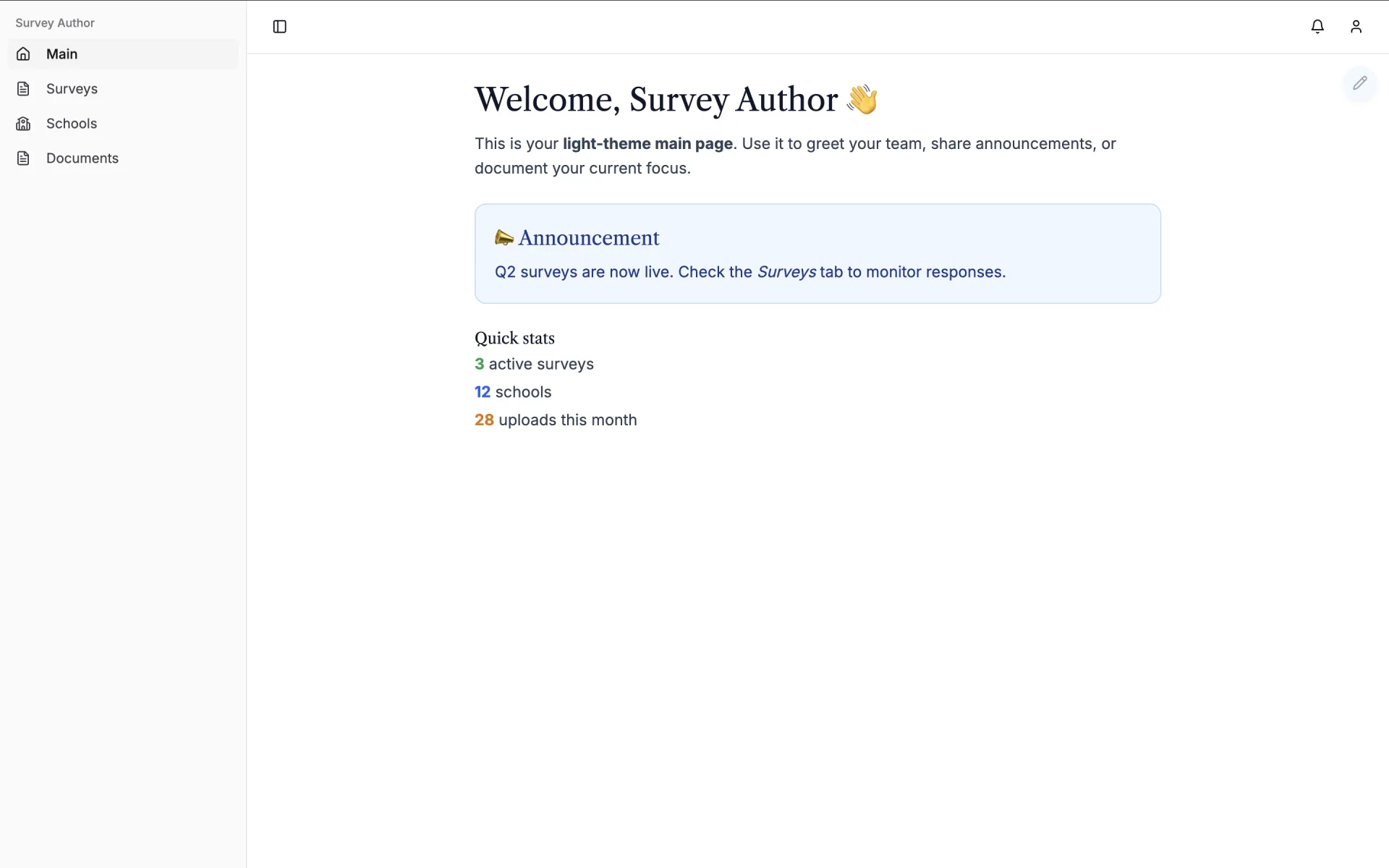
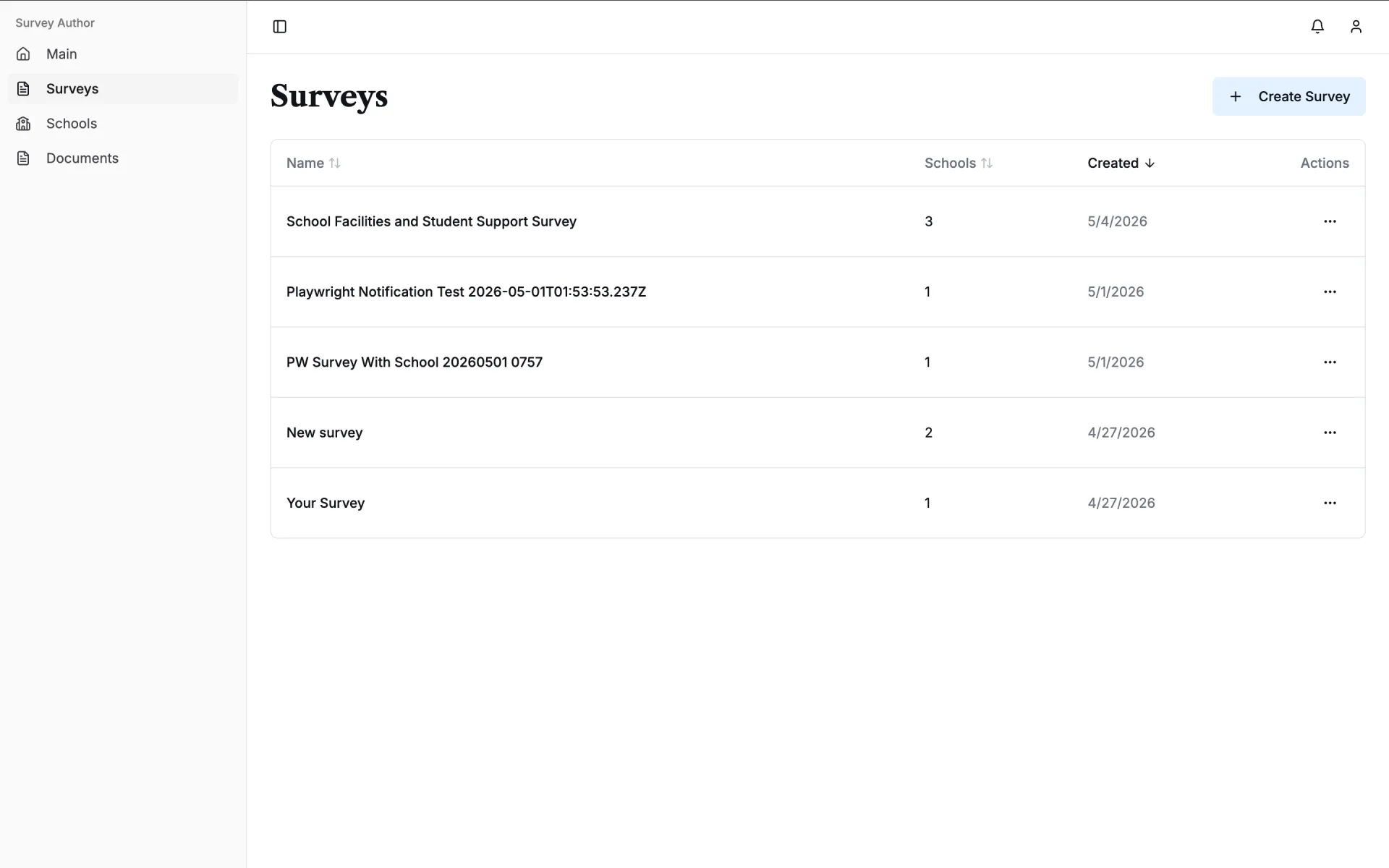
Survey List
School List
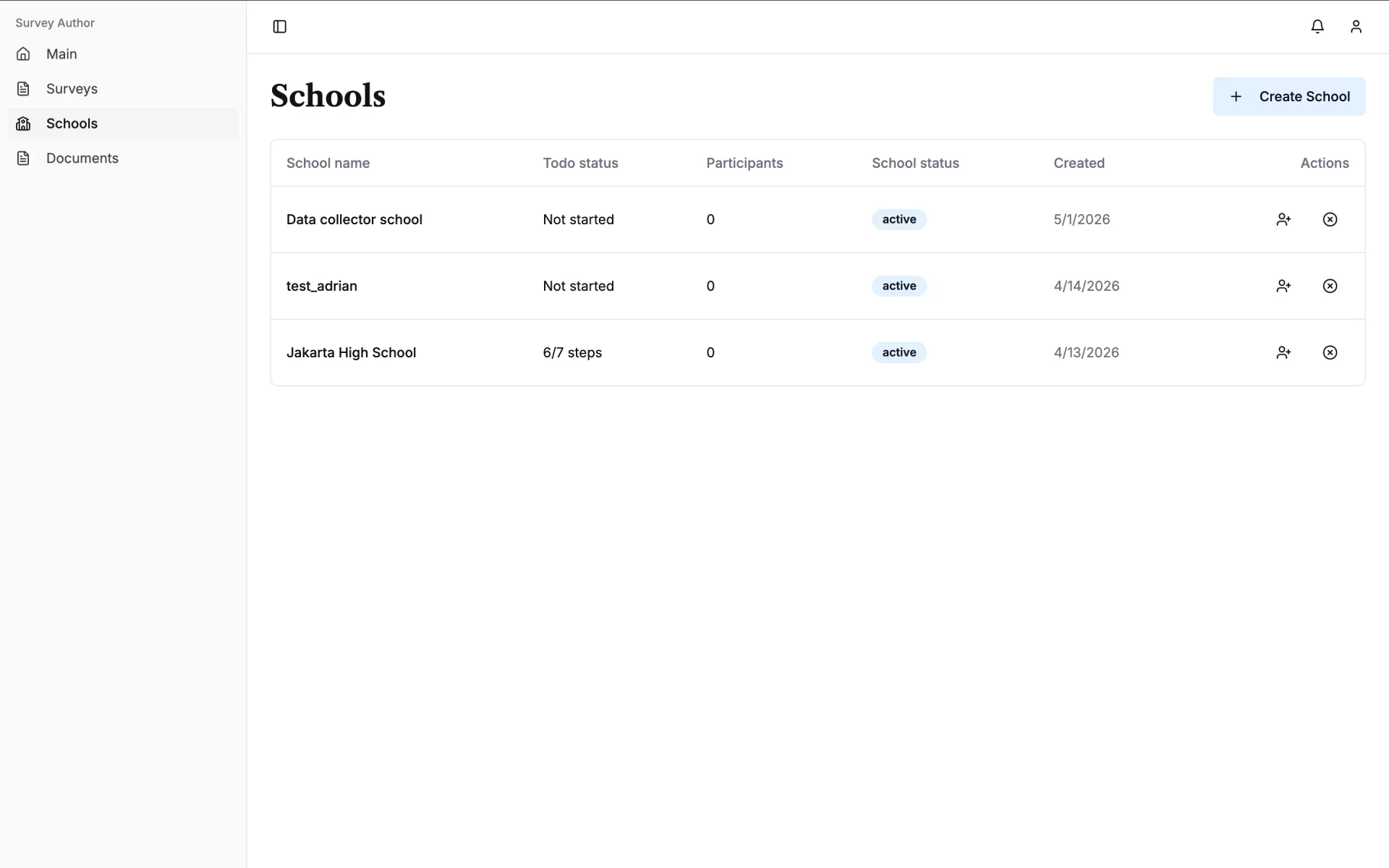
Create Survey
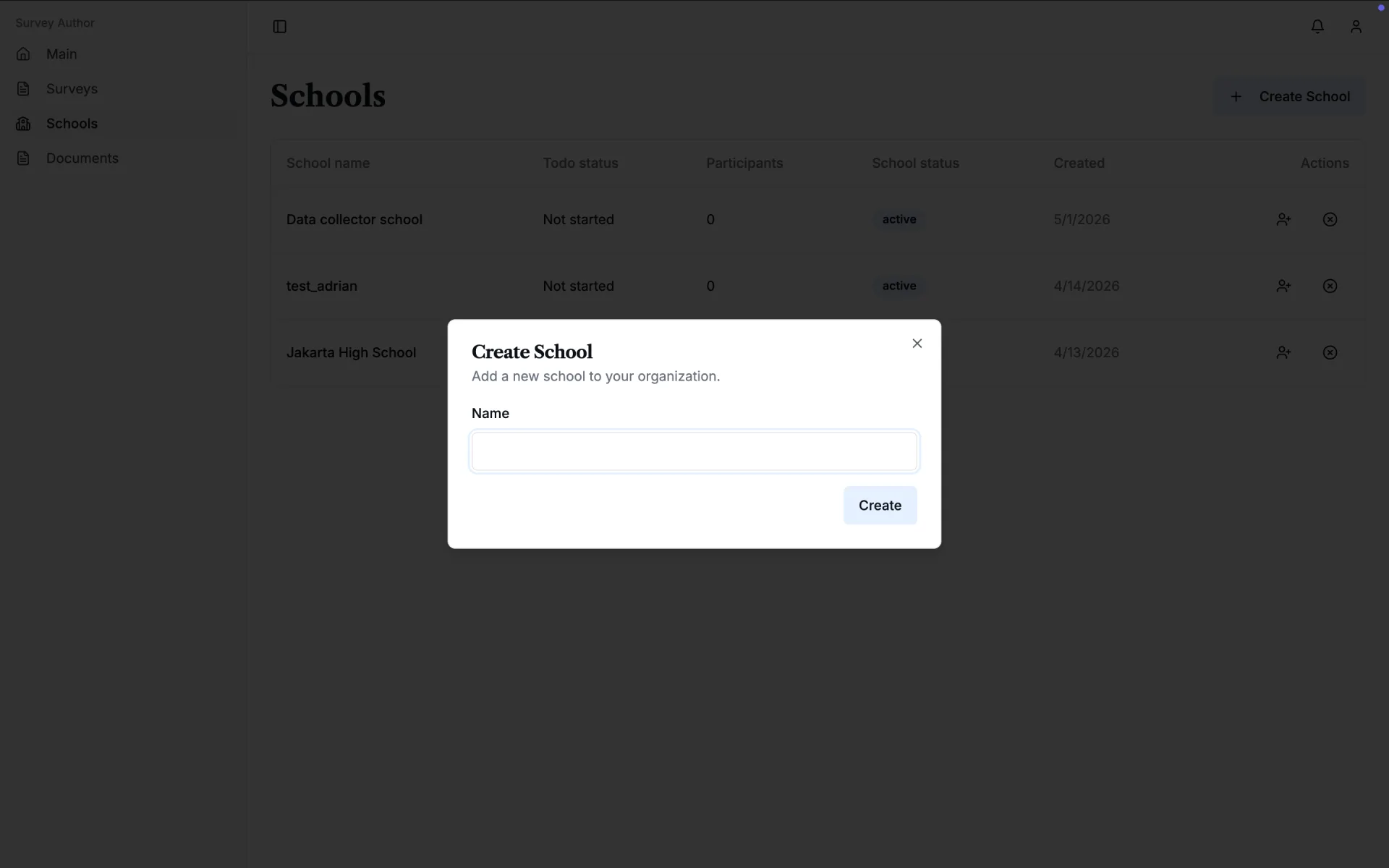
Invite School Author
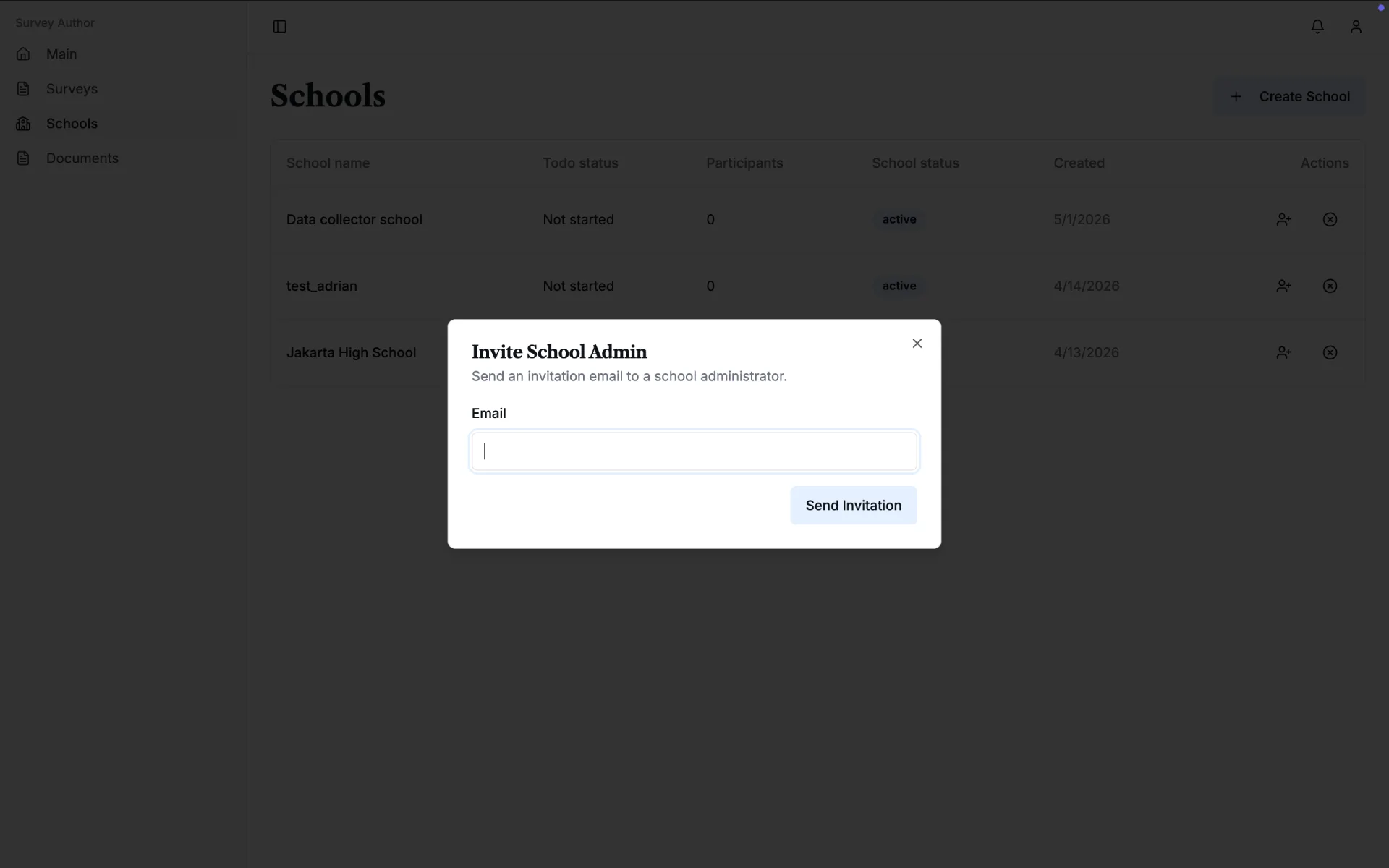
School Detail
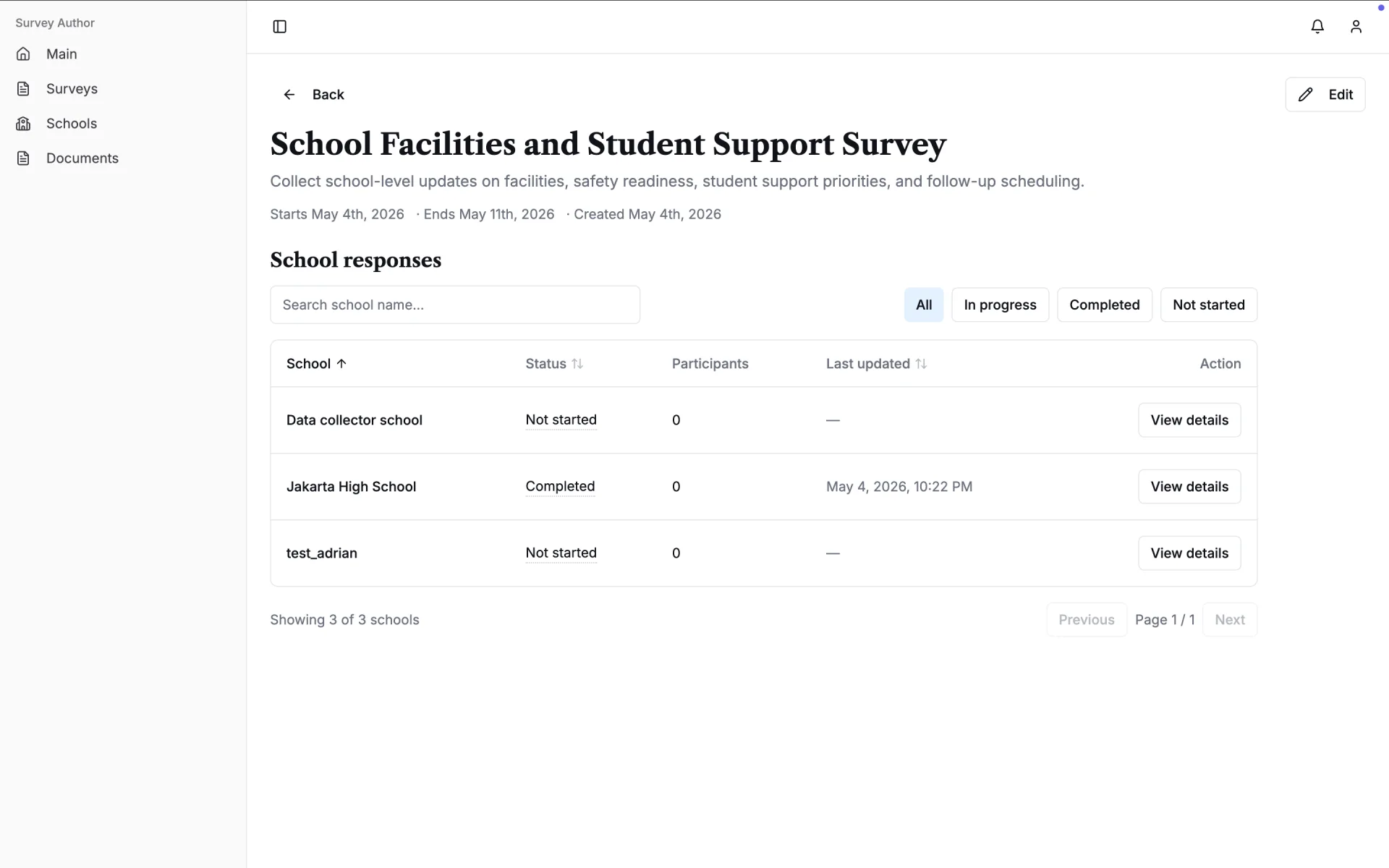
School Survey Response
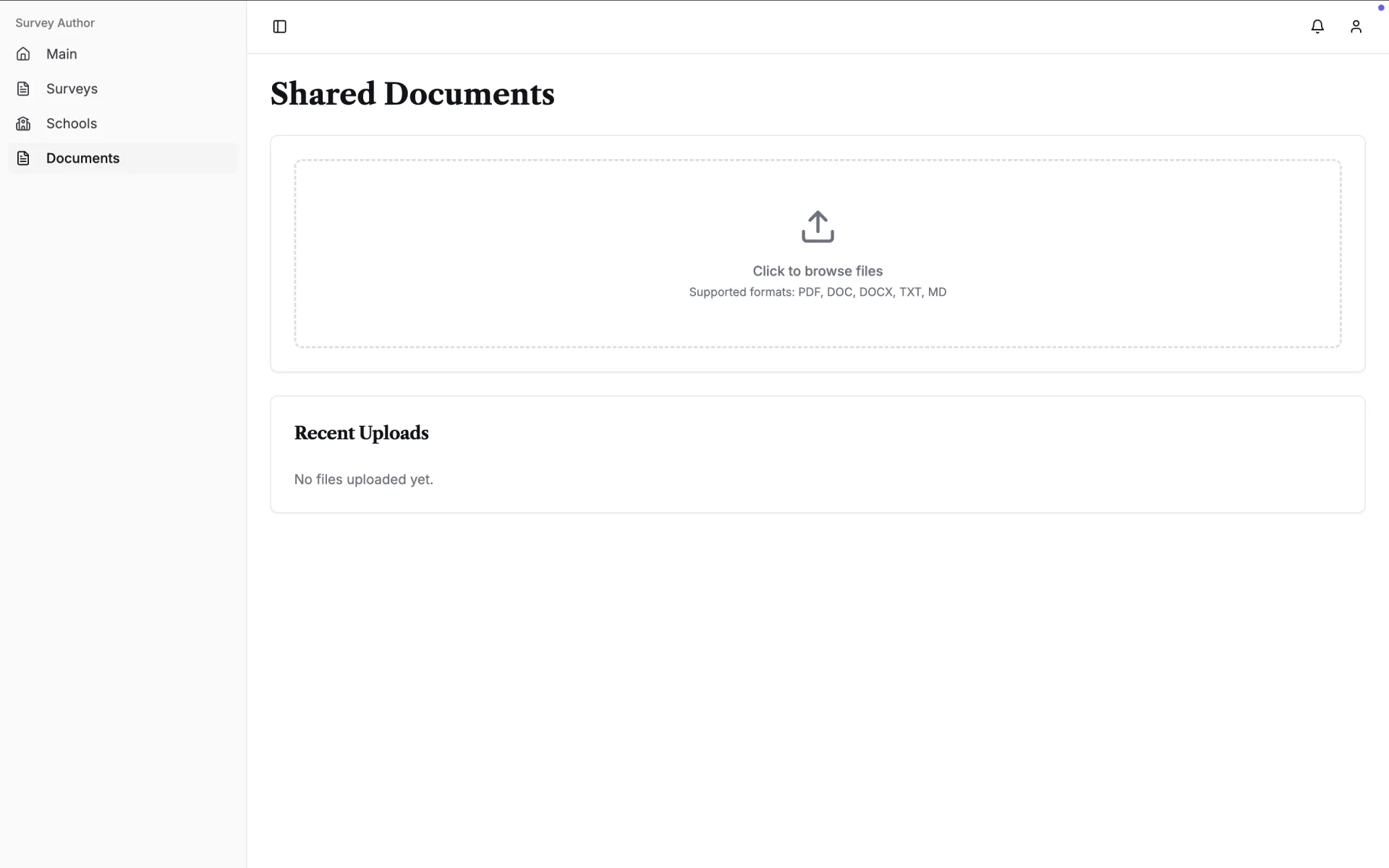
Document Management
Notification Panel