
I was working on my Expense Tracker app, just trying to send a build to TestFlight. Then I got this email: ITMS-90725.
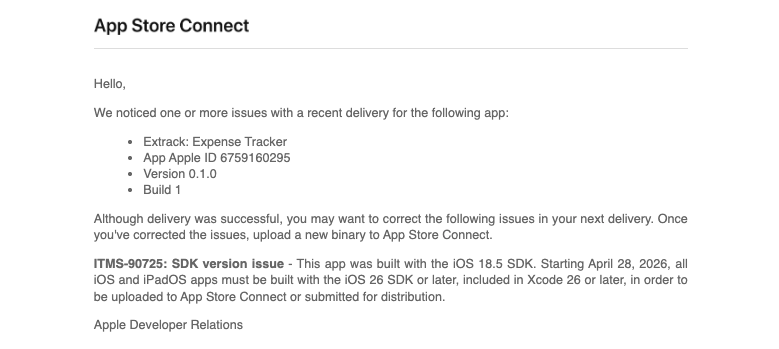
Basically, Apple wanted me to use a newer Xcode. So I updated macOS to Sequoia 15.7.5 first. I didn’t want to jump to Tahoe just for this.
Getting the right Xcode turned out to be the annoying part.
Finding the right version
The App Store wasn’t helpful. Apple’s downloads page wasn’t much better. I kept clicking around without finding a clear answer for which Xcode version I actually needed.
What I wanted was Xcode 26.3, the one that still runs on Sequoia. According to Xcode Releases, Xcode 26.3 (build 17C529) requires macOS 15.6+, so it works on Sequoia without needing Tahoe.
I tried Perplexity first but it wasn’t giving me what I needed. It only got useful when I asked it for an alternative website to find Xcode versions and it pointed me to Xcode Releases.
xcodereleases.com
Not an official Apple site, but it does the one thing Apple’s pages don’t. It gives you a searchable list of every Xcode version with OS requirements and direct download links.
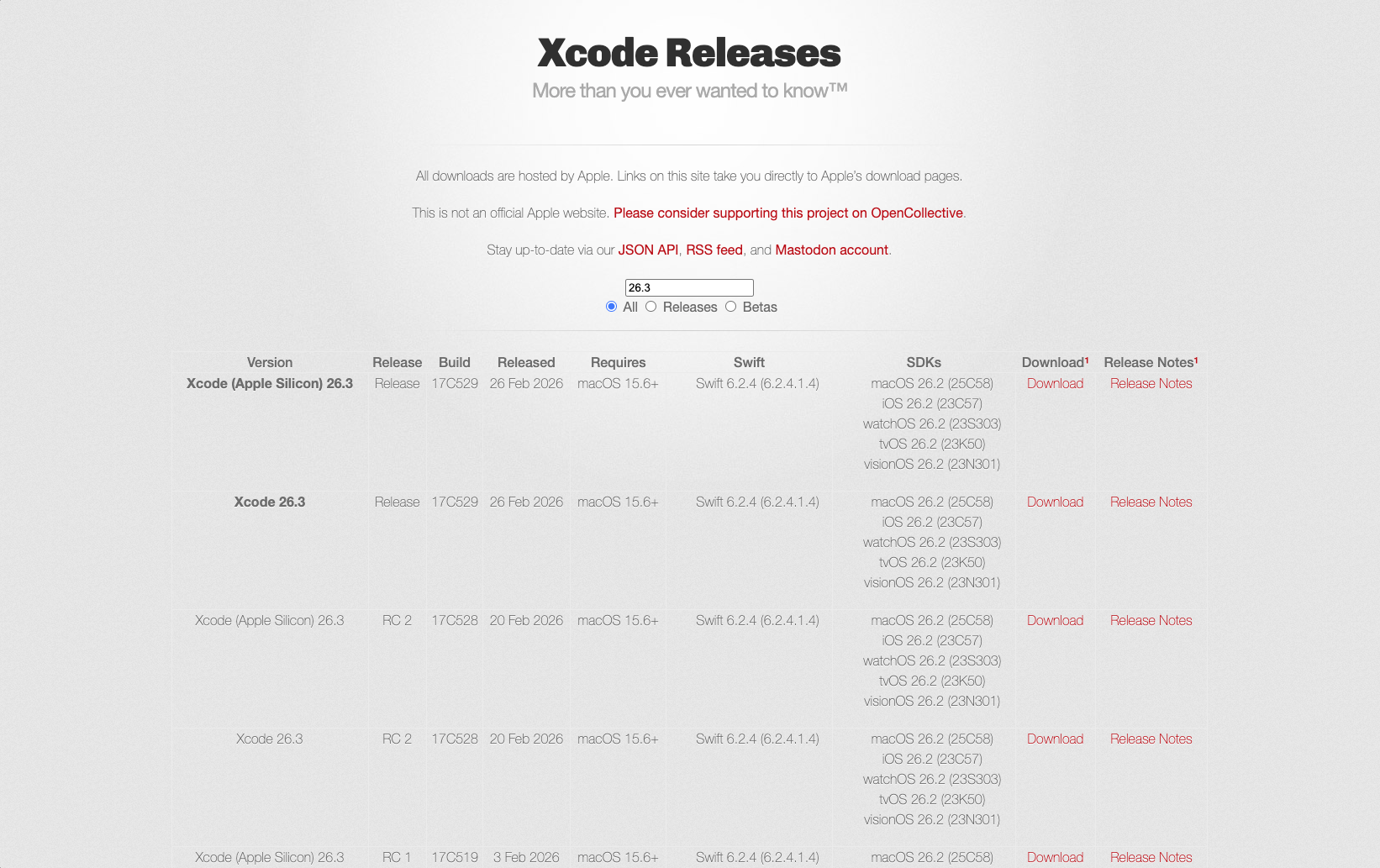
If you’re on Sequoia and need this version:
Switching between multiple Xcodes
If you have more than one Xcode installed, point the CLI tools to the right one:
sudo xcode-select -s /Applications/Xcode.appIf your app is named differently, like Xcode_26_3.app, adjust the path:
sudo xcode-select -s /Applications/Xcode_26_3.app
xcodebuild -version
Run xcodebuild -version after to double-check you’re actually using the one you think you are.
Wrapping up
The App Store didn’t help. Apple’s download pages were confusing. What actually solved it was a third-party site that just lists every Xcode version in one place.
If ITMS-90725 brought you here, hopefully this saves you some time.